Understand it
What is electricity doing here? What does this little part actually do? Why does the code say what it says? Told simply, with animations they can play with.
Every gadget at home has a tiny computer inside it. In CircuitLab 1 your child builds one of their own. They join real parts with real wires, write the code that tells it what to do, and watch it come alive on the desk. No experience needed. We start at the very beginning.
$39.00 a session · kit supplied in centre
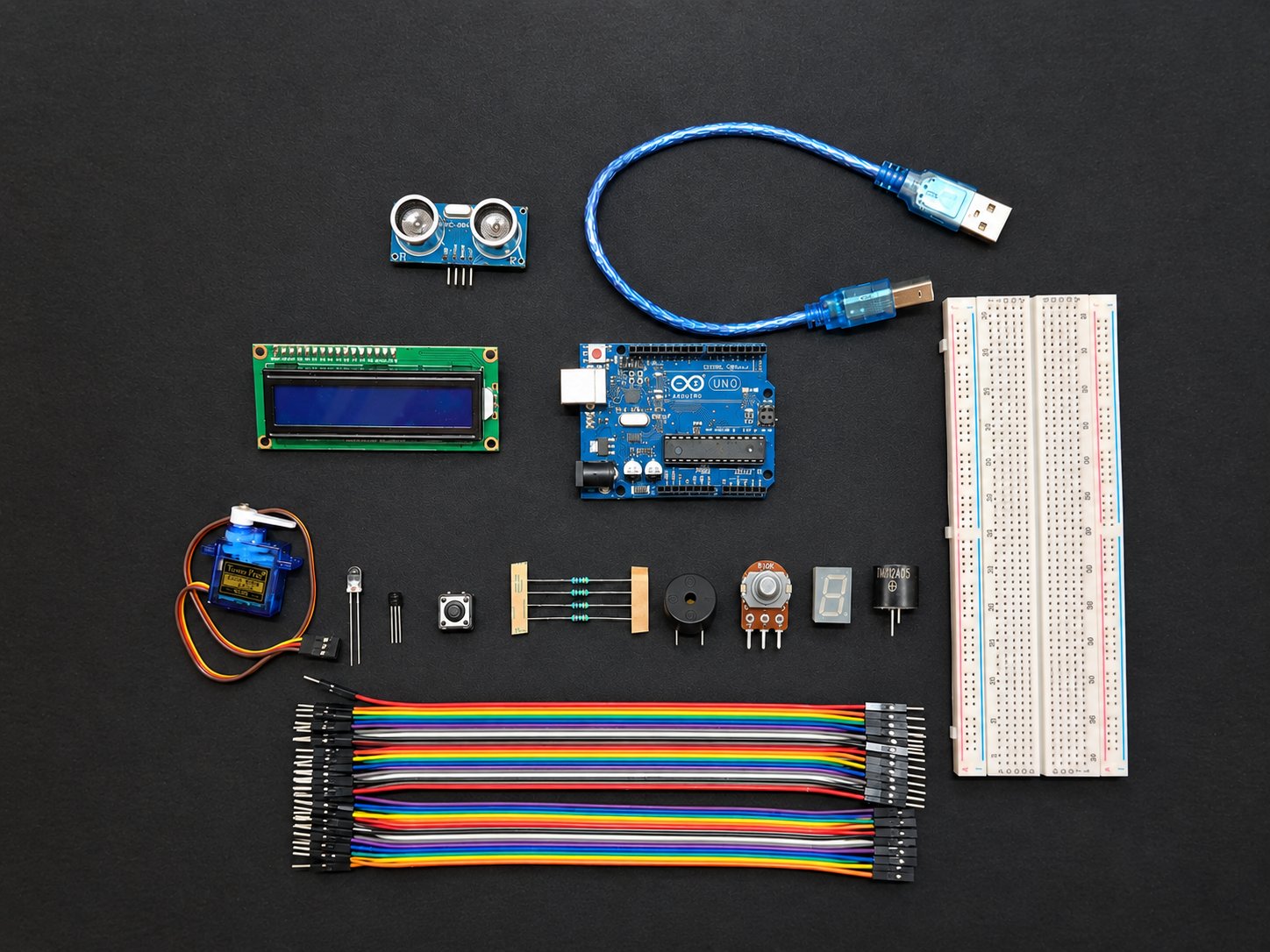
Every part above is a part they hold during the course
01 · HOW IT WORKS
Every new idea turns up twice in the same session. First we show them what is going on, in plain words and pictures. Then they do it themselves with the parts in their hands.
What is electricity doing here? What does this little part actually do? Why does the code say what it says? Told simply, with animations they can play with.
Now they wire it up. Each step is shown on a real board first. They watch the step, do the step, then test it.
02 · A SESSION
The same five steps every session, so students always know what is coming next. Something is built and switched on every time.
A quick challenge that picks up where the last session finished.
What a sensor is, or why a resistor has to be there.
The build shown on a real board, close enough to see every wire.
They wire it and send the code to the board.
Change a number, add a part, break it and fix it.
03 · THE KIT THEY WORK ON
This is the real kit, not a picture of a toy. Tap any part to find out what it does.
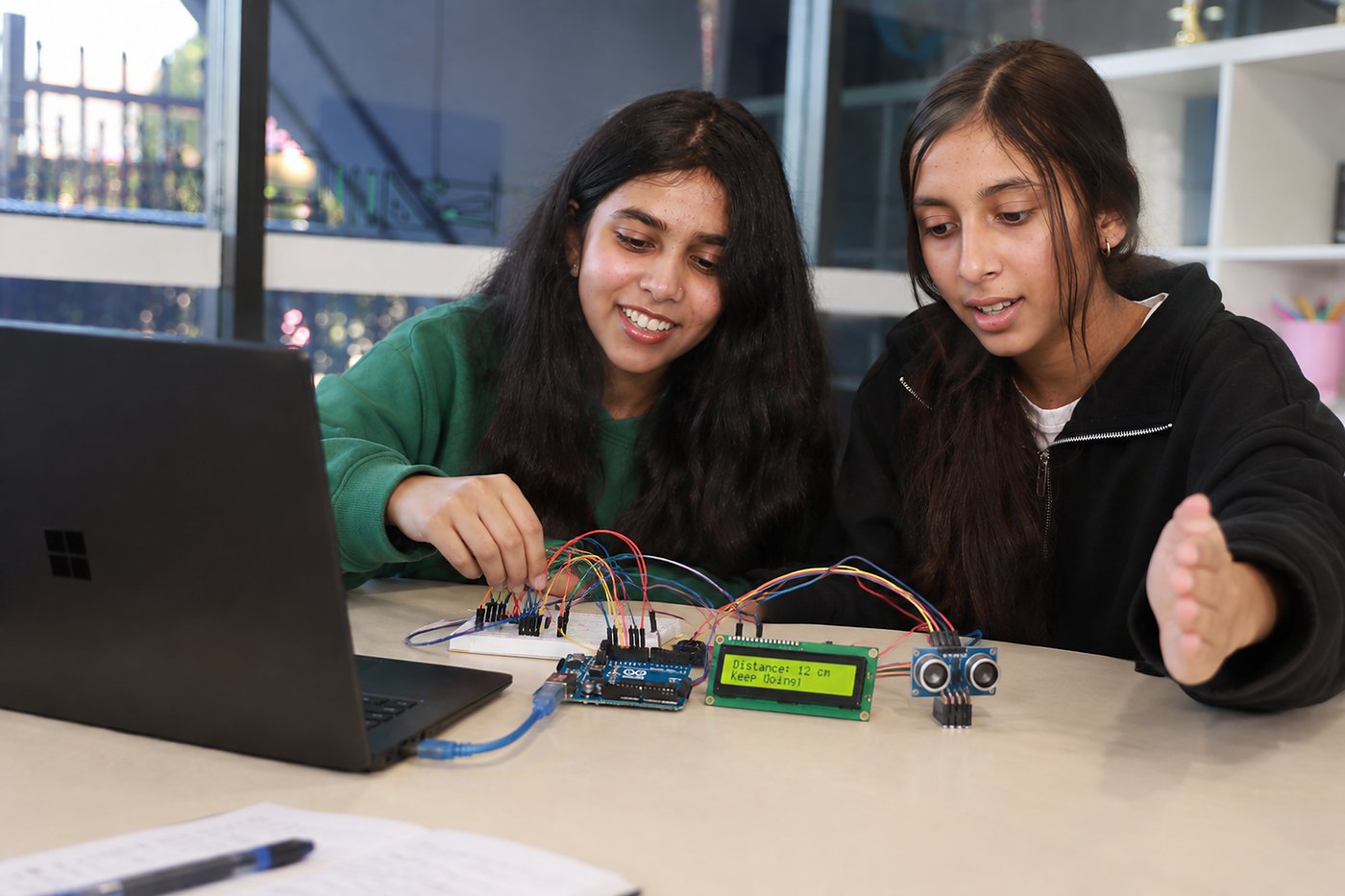
Two students, one build, one laptop. Classes stay small, so a tutor is beside them the moment something does not work. That moment is where most of the learning actually happens.
04 · THE 10 SESSIONS
One new part at a time, and nothing gets dropped. Early on something is blinking. By the final session they design the whole thing themselves.
What is hiding inside a TV remote, a microwave and a toy car? We pull the idea apart and find the same thing every time: something goes in, a tiny computer decides, something comes out. They meet the board they will use for the next ten weeks.
05 · WHAT THEY LEARN
It looks like a fun build. Underneath it is technology, science and a way of thinking that works on any problem.
How to make something that did not exist an hour ago.
What is actually happening inside the wires.
The habit that matters most when it will not work.
06 · WHAT THEY BUILD
Every build uses everything from the one before it. The last one is their own idea, built and explained by them.
Power in, a light out. The first time a circuit they wired actually works.
Patterns, speed and brightness, all set by the code they write.
The circuit notices the world and decides what to do about it.
Their own design. Something goes in, the code decides, something happens.
07 · PRICE
Everything they need to build. Nothing extra to buy.
08 · QUESTIONS PARENTS ASK
No. Session one assumes they have never seen a circuit board or written a line of code. Everything is taught in order.
Their own laptop. ACROBO supplies the board, breadboard and every part. They use the same kit each session.
That is the course. Finding the fault and fixing it is the real skill, and a tutor is beside them while they do it.
Yes. Everything runs on low voltage from a USB lead. Safe handling is taught before any wire goes in.
In centre the kit stays with us and comes out for each session. Ask your centre about home kit options.
The next level moves into longer builds and a bigger project of their own. Ask your centre what is running next term.
Tell us a little about your child and we will come back to you with the next available start date at your centre.